How Grab designed its in-app SOS feature          

Grab’s SOS button is an in-app support hotline to connect users with emergency responders or Grab’s safety team. We’ve recently made some tweaks to make getting help even faster and easier. 

Where to find the Emergency SOS button?

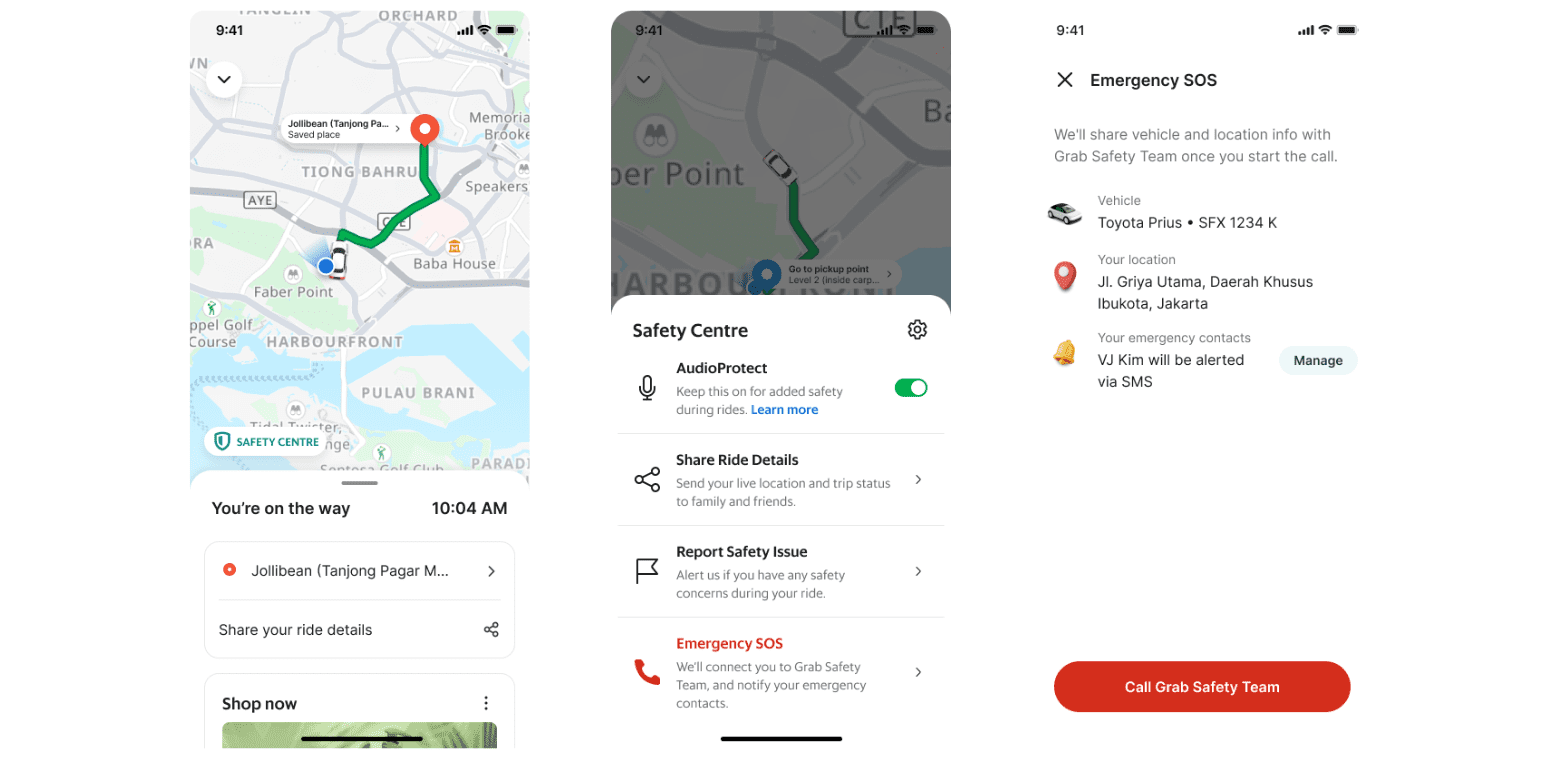
At any time during your trip, you can access the SOS hotline by:

  1. Opening the Safety Centre in the Grab app
  2. Selecting Emergency SOS
  3. Tapping the Call button to get immediate assistance
Users can seek immediate help via the Emergency SOS button found in the help centre.

Find the SOS button when there’s an alert

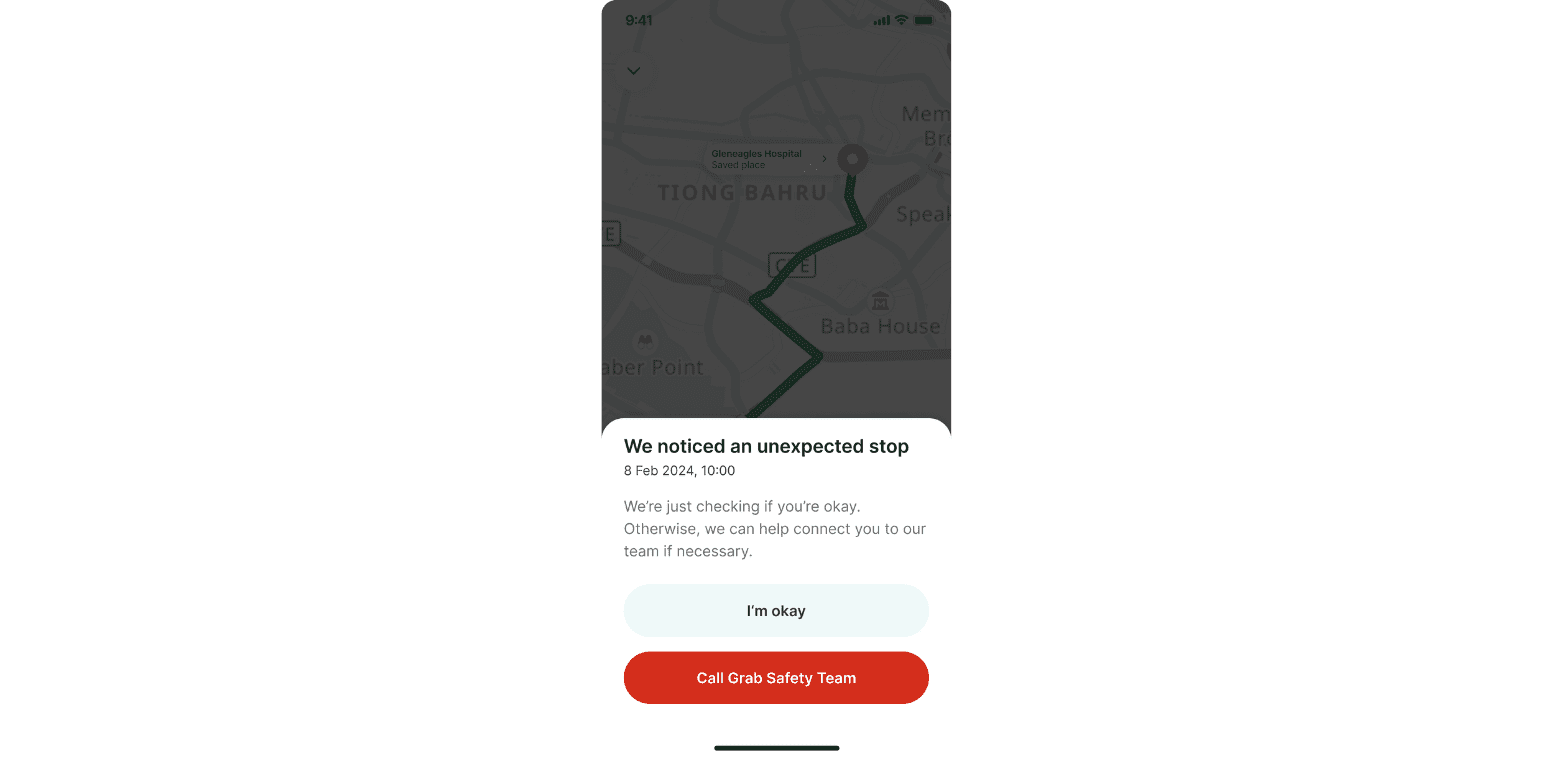
The Grab app shows alerts when it detects incidents like crashes, unexpected route changes, or unusual trip terminations. The Emergency SOS button is also directly accessible via one of these alert messages, making it even easier to reach out for help when it’s needed most.

Users can seek immediate help via the Emergency SOS button found in the help centre.
Safety contacts are alerted

When you initiate an SOS call, your pre-saved emergency contacts will automatically receive a text notification, so they’re kept in the loop. They will be alerted that an emergency request has been activated and prompted to contact the individual right away.

You can add emergency contacts when you enter the Emergency SOS page via the Safety Centre. 

What’s new?

Safety is of utmost importance to us. That’s why we make sure the emergency response user flow stays up to date and easy to use.

Guided by user insights, we made a few changes to make the SOS button quicker to find and more intuitive to use during emergencies. 

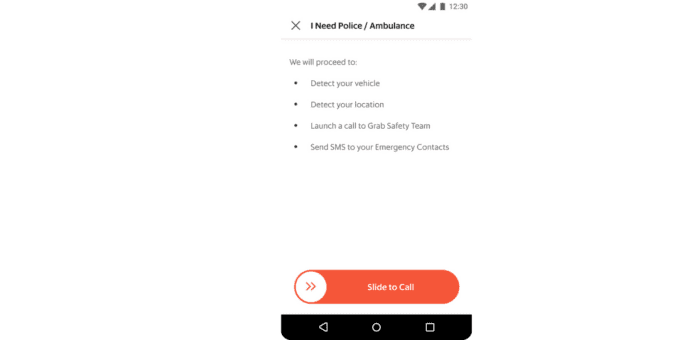
In the past, for instance, users had to slide the button to initiate an emergency call. During user testing, we found that people preferred pressing a simple call button in urgent situations. 

The slide to call screen was confusing, so we turned this into a simple button.

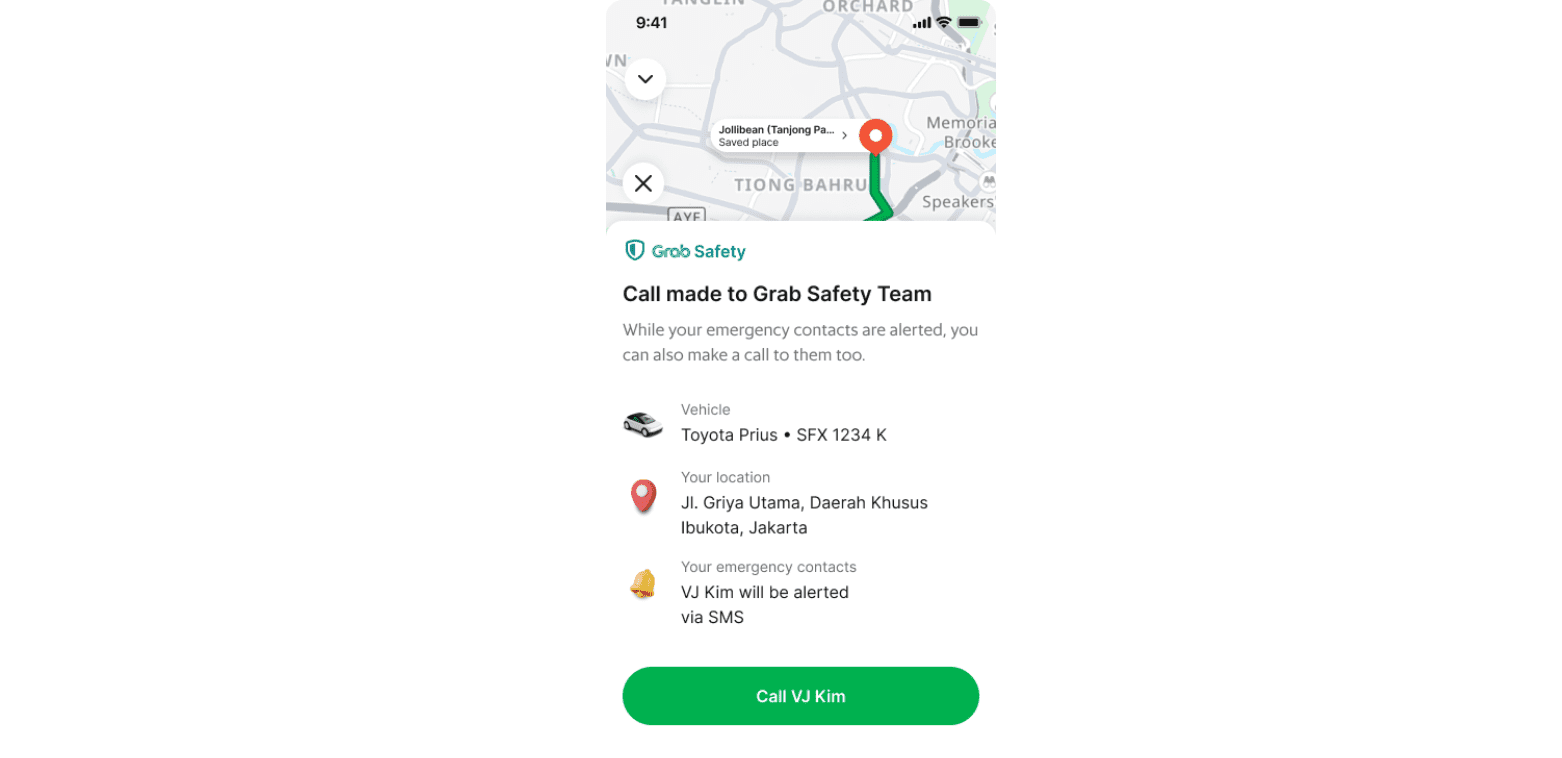
We also simplified the design by reducing the amount of text and focusing on clear, actionable steps and introduced a new screen that shows up after a call is placed.

The confirmation screen reassures you everything is in motion. On this screen, users can also hit the call button to reach their emergency contacts. 

The new post-call confirmation screen confirms that the emergency call has been made and allows users to reach out to their loved ones.

After testing the updated design against the old one, the improvements were clear: 77 per cent of users said the updated design was more intuitive.

Safety first

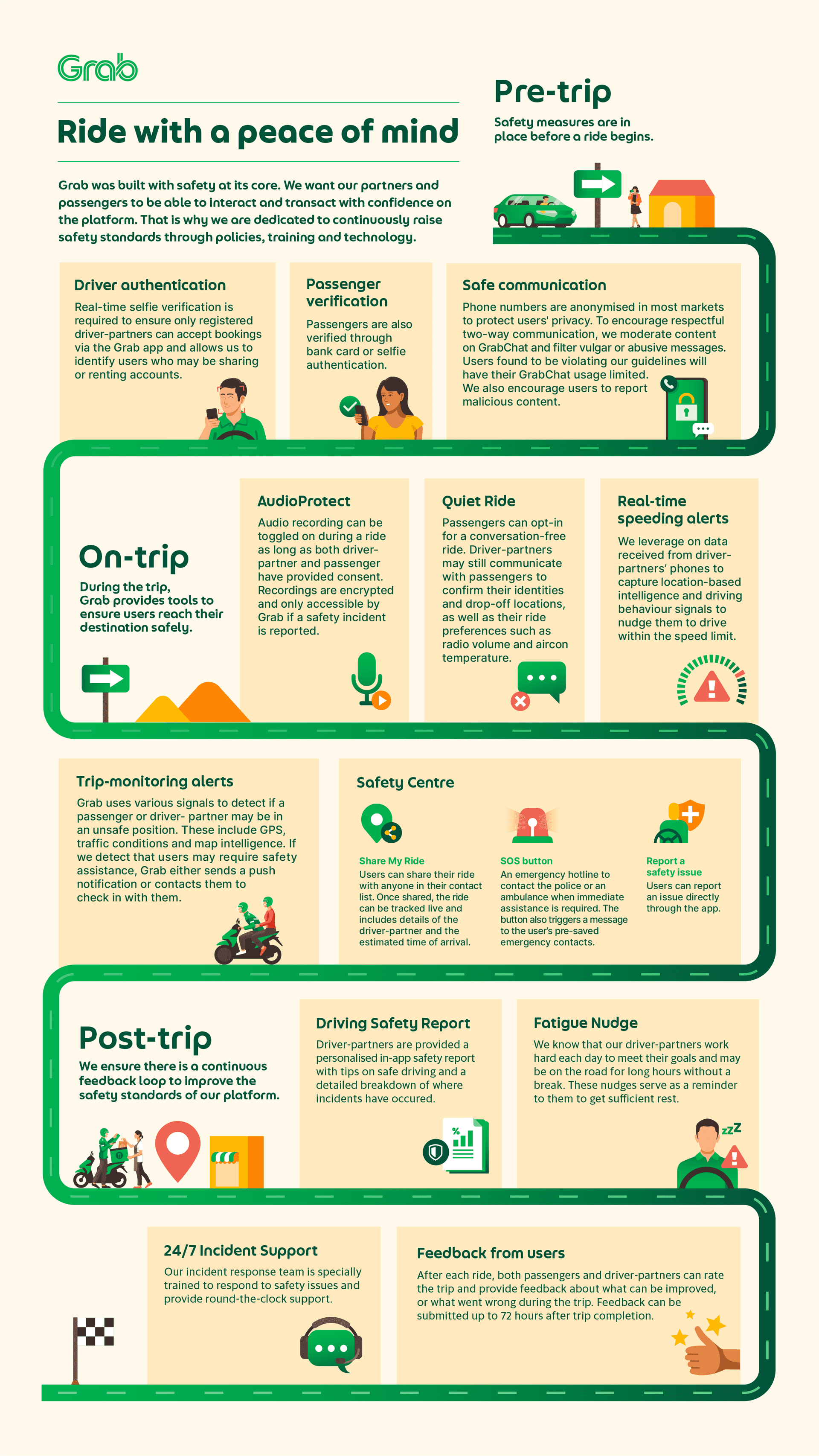
(Read more: How we make riding with Grab safe)

This updated SOS button is part of our commitment to making sure every ride feels secure and supported. Emergencies may be unpredictable, but with this redesign, we hope to bring a little more clarity and peace of mind when it matters most.

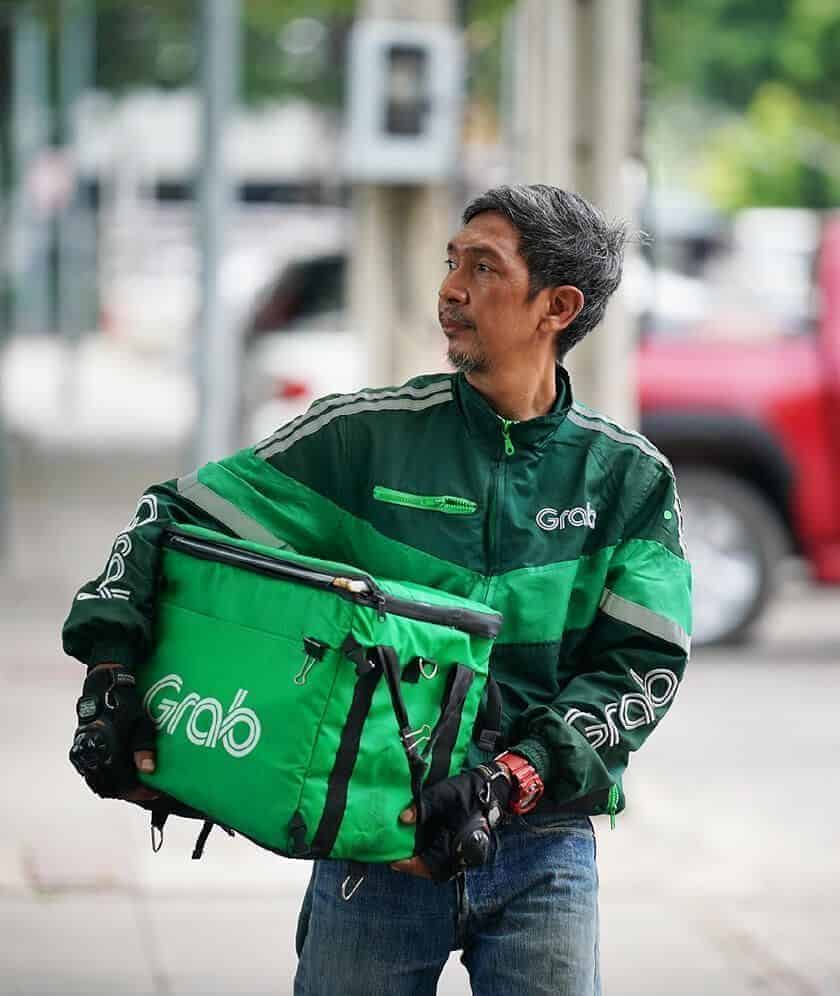
Komsan Chiyadis

GrabFood delivery-partner, Thailand

Komsan Chiyadis

GrabFood delivery-partner, Thailand

COVID-19 has dealt an unprecedented blow to the tourism industry, affecting the livelihoods of millions of workers. One of them was Komsan, an assistant chef in a luxury hotel based in the Srinakarin area.

As the number of tourists at the hotel plunged, he decided to sign up as a GrabFood delivery-partner to earn an alternative income. Soon after, the hotel ceased operations.

Komsan has viewed this change through an optimistic lens, calling it the perfect opportunity for him to embark on a fresh journey after his previous job. Aside from GrabFood deliveries, he now also picks up GrabExpress jobs. It can get tiring, having to shuttle between different locations, but Komsan finds it exciting. And mostly, he’s glad to get his income back on track.