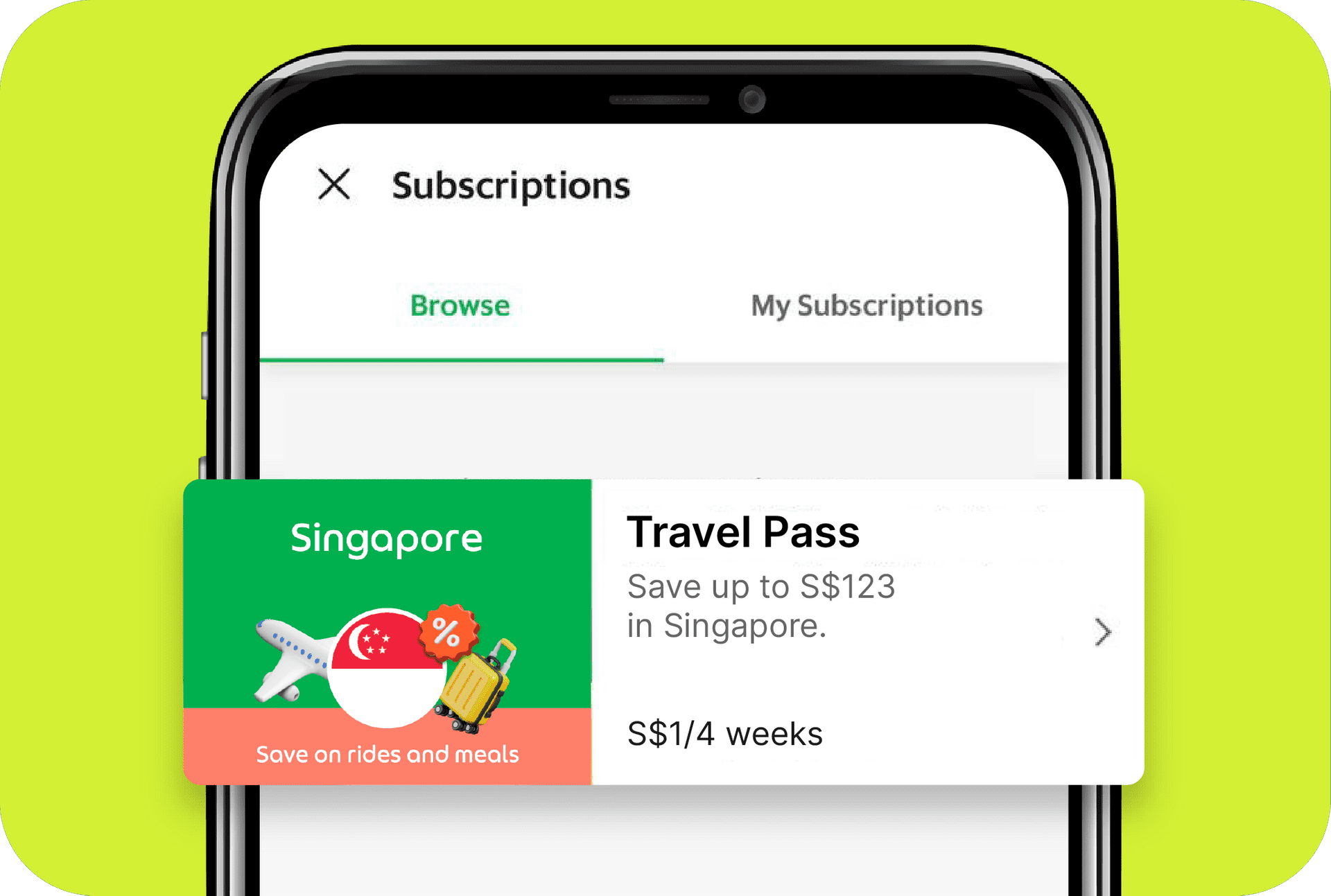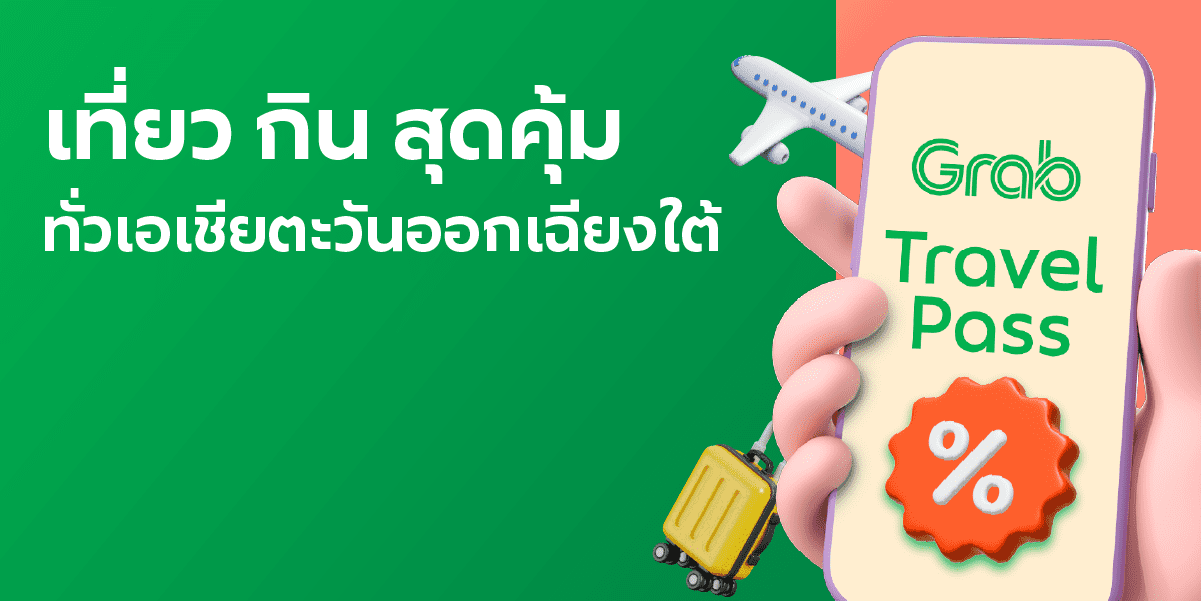
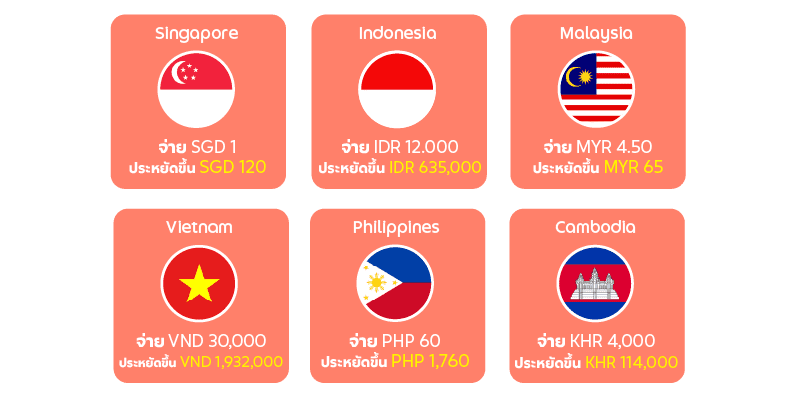
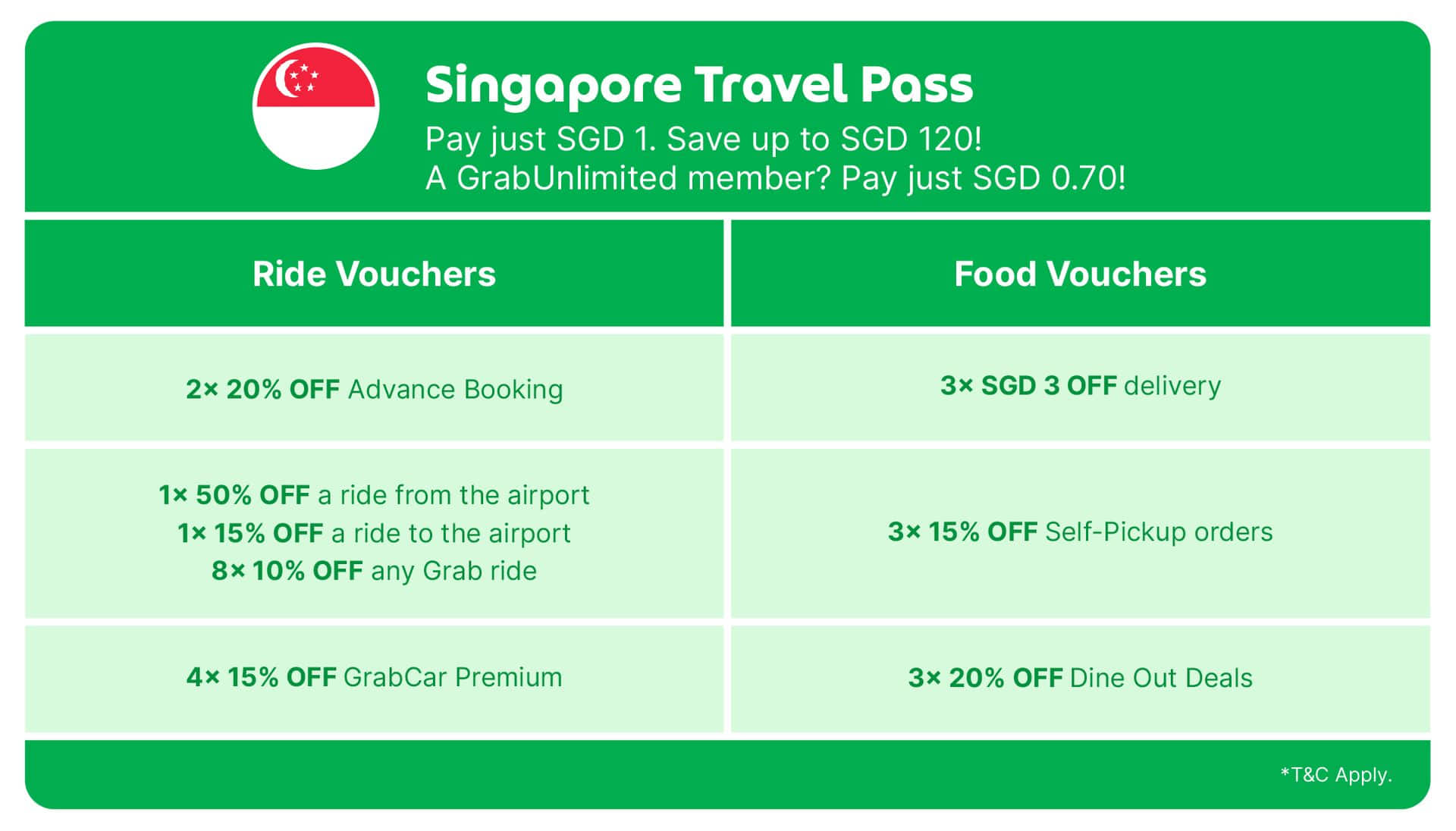
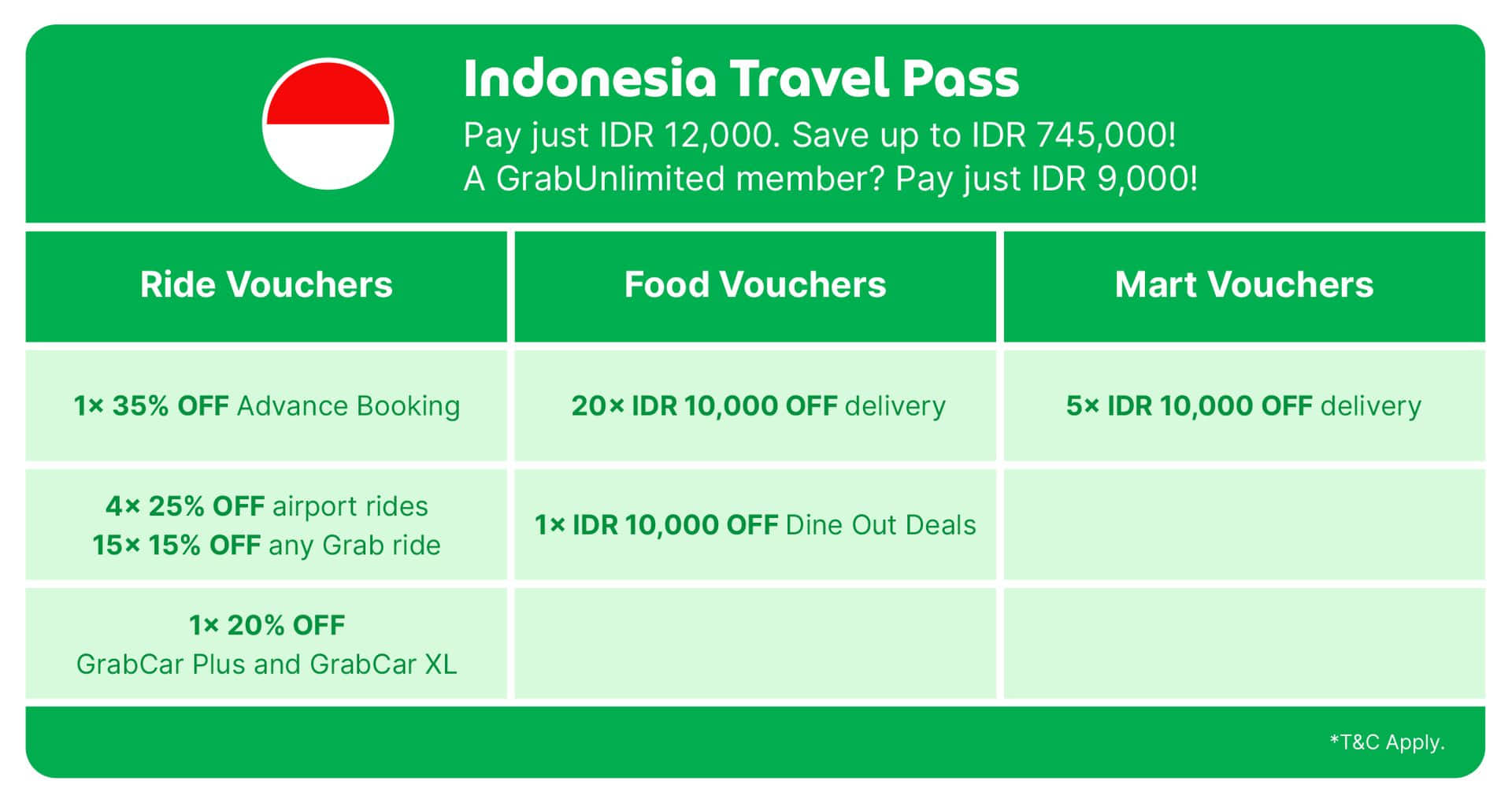
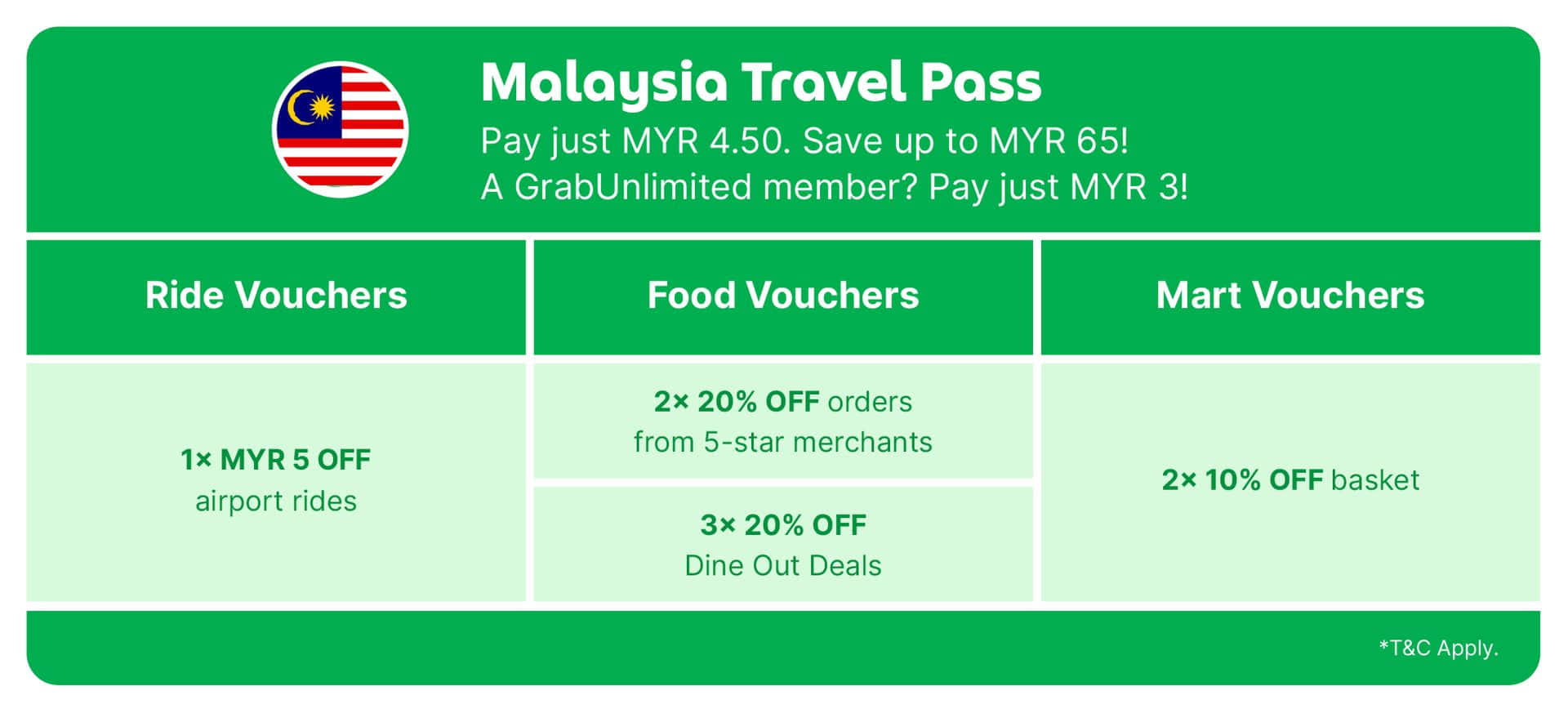
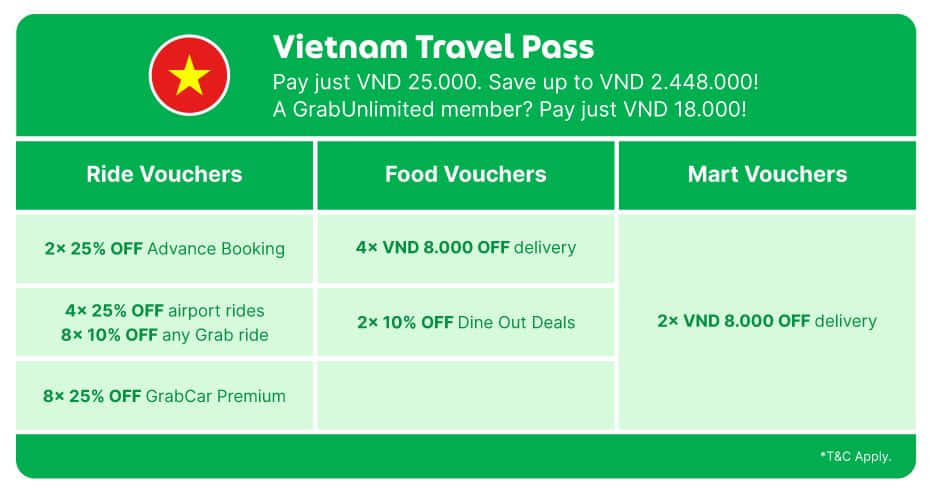
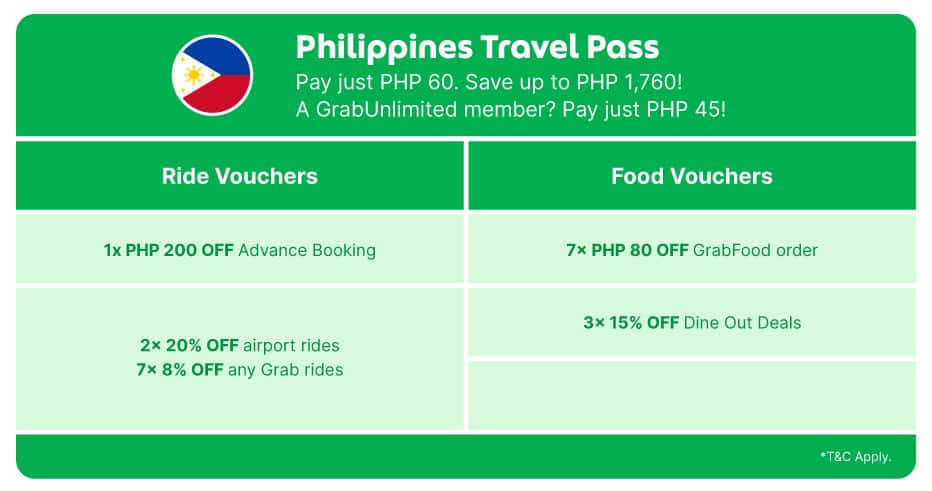
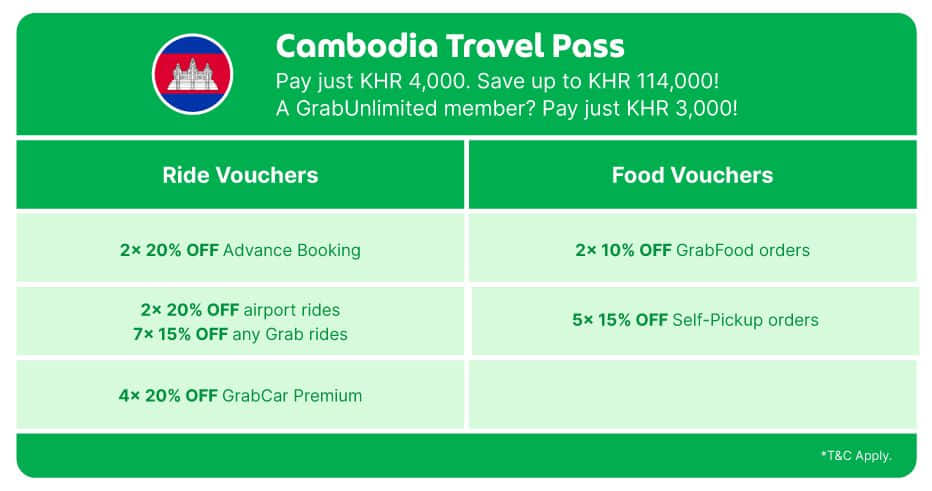

What’s a Grab Travel Pass, you ask? It’s your ticket to getting around and discovering more of Southeast Asia, for less.
How to buy a Grab Travel Pass

Step 1
Upon arriving in the country you’re visiting, open the Grab app.
Step 2
If you don’t have a Grab account yet, register now. You do not need a local number to register.
If you already have a Grab account, proceed to Step 3.
Pro-tip: Register for a Grab account and link a credit or debit card before your trip for a smoother experience.
If you already have a Grab account, proceed to Step 3.

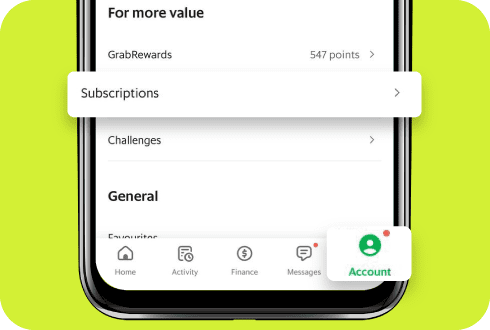
Step 3
Go to Account > Subscription.
Step 4
Select ‘Travel Pass’.
Step 5
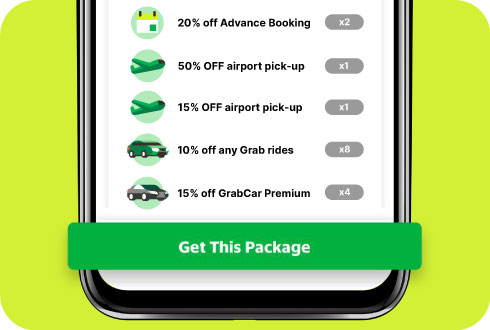
Tap on “Get This Package”. Complete payment and you’re good to go!
How to use your Grab Travel Pass vouchers
Step 1
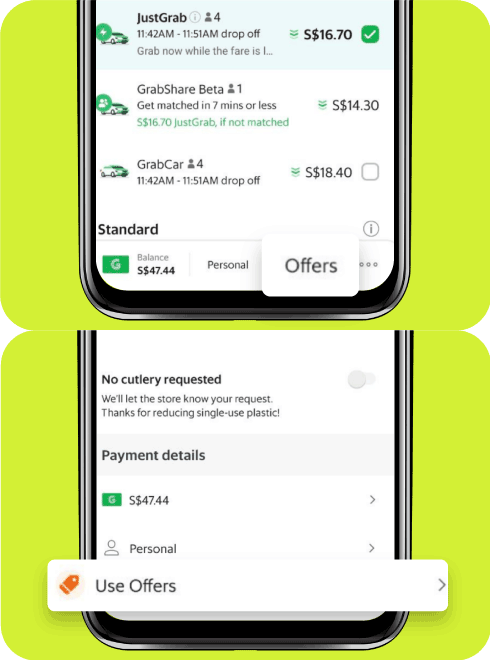
Just before booking a ride or checking out on the Grab app,
tap on ‘Offers’, or ‘Use Offers’.
Just before booking a ride or checking out on the Grab app,
tap on ‘Offers’, or ‘Use Offers’.
Step 2
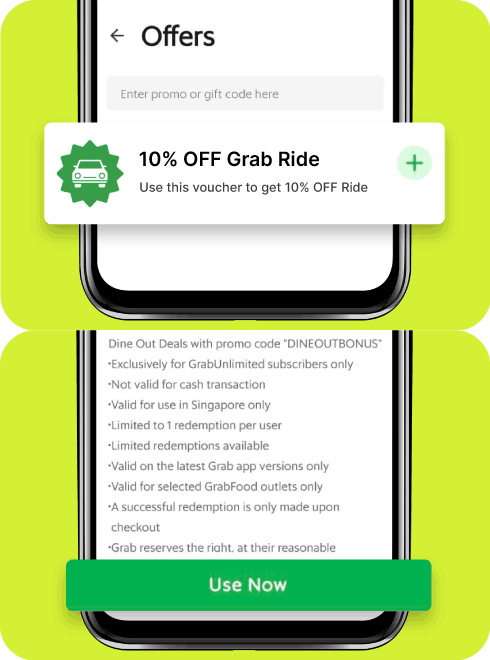
Select the voucher you wish to use.
No, each Grab Travel Pass can only be used in the country they are purchased in.
For example, a Singapore Grab Travel Pass can only be used in Singapore, while a Malaysia Grab Travel Pass can only be used in Malaysia.
You will only be able to see and purchase the Grab Travel Pass of the country you have travelled to.
All Grab Travel Pass vouchers are valid for 4 weeks from date of purchase.
Grab Travel Pass are exclusively for international travelers, and cannot be used within your home country. You can however purchase and use Grab Travel Pass in other Southeast Asian countries.
For more information, please visit the Help Centre.